Why I Built ProFixIQ
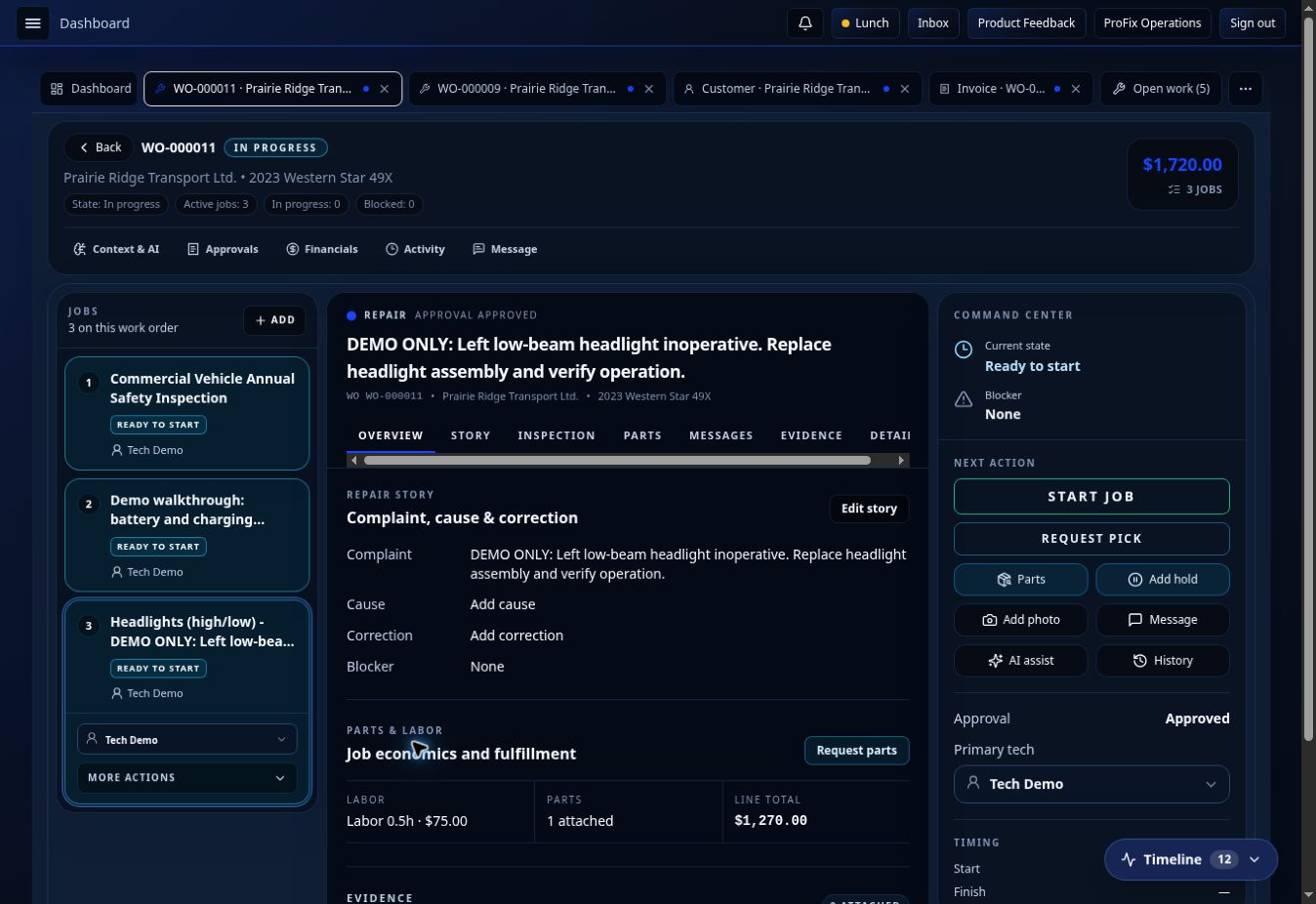
I built ProFixIQ after seeing how much time repair shops lose between the inspection, quote, approval, parts, technician, and invoice. Here is the workflow I wanted software to carry.
I didn’t build ProFixIQ because I thought every other shop management system was terrible.
I built it because I had used decent systems, and I still kept thinking:
Why am I doing so much of this repeatedly?
I work in the repair industry. I’ve spent years around technicians, advisors, parts departments, work orders, inspections, estimates, approvals, invoices and all of the little handoffs that happen between them.
At the Ford dealership where I work, we use PBS.
PBS is a decent system. It handles a huge amount of what a dealership needs to operate.
I’ve also used Fullbay.
Fullbay was a decent system too, and it was much closer to the heavy-duty repair world I wanted ProFixIQ to serve.
The problem wasn’t that these systems couldn’t manage a repair order.
They could.
The problem was that using them never felt like the software was actually trying to make the process disappear.
There were still manual flows.
There was still repetition.
There were still things somebody had to remember to do.
Information still had to move from one person to another.
And a lot of the time, the software was recording what we were doing instead of actively helping us get it done faster.
That’s really where ProFixIQ started.
I Started Looking at All the Wasted Motion
When you’ve worked around a repair shop long enough, you start noticing how much of the day isn’t actually spent repairing anything.
A technician finds a problem.
They document it.
Someone has to see it.
Someone has to figure out what parts are needed.
Someone has to price it.
Someone has to put it into a quote.
Someone has to send it to the customer.
Someone has to notice when the customer approves it.
Parts needs to know it’s approved.
The technician needs to know when the parts are ready.
Then the repair gets completed.
Then somebody needs to make sure everything that happened actually ends up on the final invoice.
None of those individual steps seem unreasonable.
But add them together across every job in a busy shop, every day, and there is a massive amount of wasted motion.
That was the part I kept coming back to.
Why are we making people carry the workflow when the software already has all the information?
PBS Showed Me What a Complete System Could Do — and What It Didn’t Do for Me
Working with PBS gave me a good perspective because it’s not a lightweight application.
It runs a dealership.
There are a lot of systems tied together, a lot of information available and a lot of business processes running through it.
But from my perspective, especially once you get closer to the actual service workflow, there was still too much interaction required from the user.
And the mobile experience was never something I felt was really designed around how technicians actually work.
That’s important.
A technician doesn’t spend their day sitting behind a desk with a keyboard and two monitors.
They’re underneath something.
Their hands are dirty.
They’re walking around a vehicle.
They’re inspecting components.
They’re taking measurements.
They’re looking for failures.
They’re trying to fix something.
Every time the software forces them to stop what they’re doing, walk somewhere, type something, navigate through several screens or repeat information they’ve already provided, the software becomes part of the problem.
That’s something I wanted ProFixIQ to approach differently from the beginning.
Desktop matters.
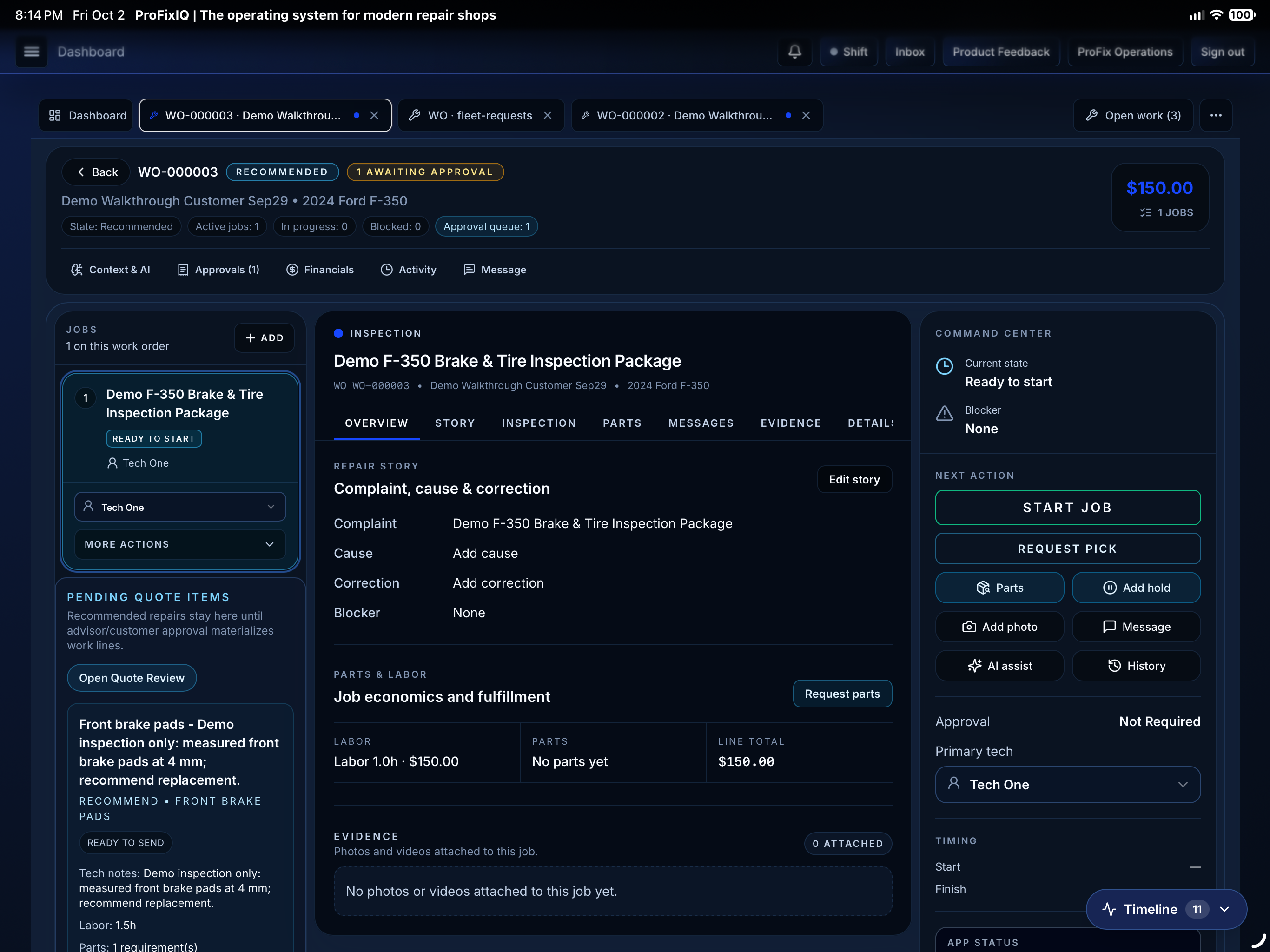
Mobile matters just as much.
And they shouldn’t feel like two completely different products.
Then There Was Fullbay
Fullbay is probably an even more important part of the story because it is a good product and it is designed for heavy-duty shops.
I’m not going to pretend otherwise just because I’m building a competitor.
When I used Fullbay, there were things I liked about it.
But I had the same underlying problem.
It didn’t really speed the process up enough for me.
The shop could operate through it.
The work orders were there.
The information was there.
You could manage the repair.
But there were still too many manual flows and too much repetition.
That difference became really important to me.
There is a difference between:
putting a process into software
and
using software to remove parts of the process.
I didn’t want ProFixIQ to simply be another digital version of everything a repair shop was already doing manually.
I wanted to start asking whether some of those steps needed to exist at all.
If the System Already Knows It, Why Are We Entering It Again?
This became one of the basic rules behind ProFixIQ.
If the system already knows something, don’t ask somebody to enter it again.
If we’ve worked on the customer before, we know who they are.
If we’ve worked on the vehicle before, we know the vehicle.
If we’ve performed this repair before, we probably know a lot about what goes into that repair.
If an inspection already identified the problem, why should an advisor have to recreate the finding somewhere else?
If the technician has already said what they need, why should they have to walk to the parts counter and explain it again?
If the customer already approved the repair through the portal, why should somebody need to tell parts that it’s approved?
If the parts have already been fulfilled, why should somebody need to walk out into the shop and tell the technician they can continue?
If the work was completed on the work order, why should the invoice have to be rebuilt?
Those sound like small things.
They’re not.
Multiply each one by the number of jobs going through a shop every week.
That’s a lot of time.
I Wanted ProFixIQ to Get Faster the More You Used It
This is still one of the things I care about most.
Software should learn the way the business operates.
Not in some creepy or unpredictable way.
It should simply stop making you rebuild information it already has.
When a new customer comes into a shop, obviously there’s information to enter.
The next time they come in, there shouldn’t be.
When a shop performs a common repair for the first time, it might take time to build that job properly.
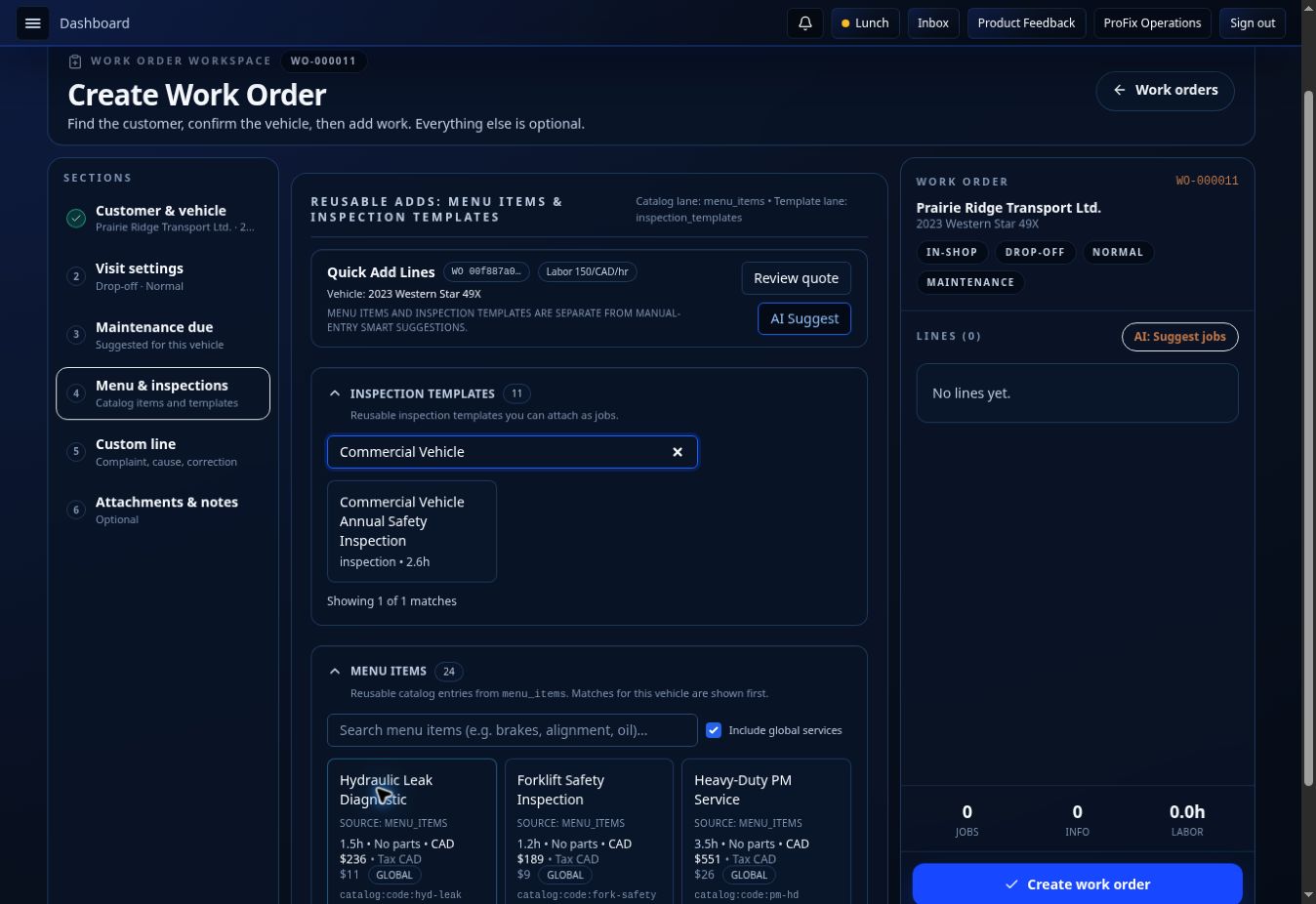
Once that repair exists as a menu item, the next work order should be faster.
And the next one should be faster again.
Today, with an existing customer, an existing vehicle and menu items already built, I can create a ProFixIQ work order in well under a minute.
Sometimes it’s seconds.
We’ve also built things like registration importing because I don’t see the value in having an advisor manually type information that the system can extract and ask them to confirm.
That’s the direction I want everywhere in ProFixIQ.
Less typing.
Less rebuilding.
Less remembering.
More confirmation.
More automation.
The Inspection Shouldn’t Be the End of Something
This was another workflow I wanted to change.
A technician performing an inspection is creating extremely valuable information.
They aren’t just filling out a checklist.
They’re determining what the vehicle needs.
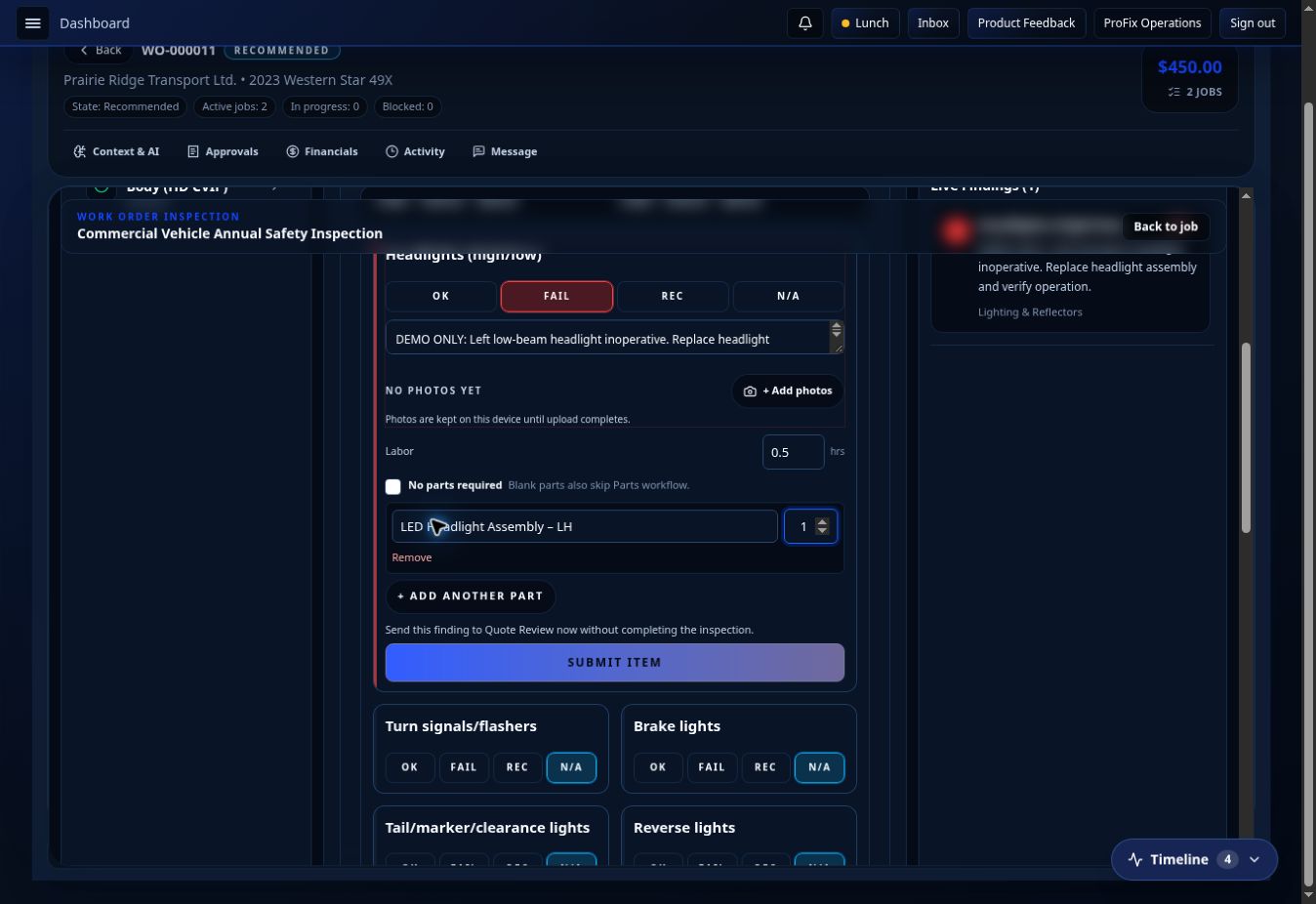
So if a technician fails an inspection item and recommends a repair, that information should immediately become useful to the rest of the shop.
In ProFixIQ, that finding can flow into the parts quote and pending work.
Parts can quote what is required.
The advisor can review it.
The customer can receive it through the portal.
The customer can approve or defer the repair.
Approved work moves back into the shop workflow.
Parts can fulfill it.
Once the requirements for the repair are ready, the technician can continue.
The technician completes the repair.
The work order moves toward completion.
The advisor reviews it and turns it into the invoice.
The invoice goes to the customer.
The customer can pay through the portal.
That’s one continuous process.
That’s what I mean when I talk about workflow.
I don’t want ten features sitting beside each other.
I want one action to naturally cause the next action.
The Handoffs Are Where Shops Lose Time
The more I thought about it, the more obvious this became.
Repair shops don’t only lose time while somebody is performing a repair.
They lose enormous amounts of time between activities.
Waiting for an advisor.
Waiting for a quote.
Waiting for parts.
Waiting for authorization.
Waiting for somebody to notice that authorization came back.
Waiting for somebody to tell the technician that the parts arrived.
Waiting for somebody to move the work order to the next stage.
That’s why I don’t think measuring technician efficiency alone tells you whether a shop is efficient.
You can have an extremely efficient technician standing there waiting 45 minutes because the next part of the process hasn’t happened.
Whose efficiency problem is that?
Probably nobody’s individually.
It’s a workflow problem.
So ProFixIQ tracks the flow.
I want a manager or owner to be able to see where the slowdown actually is.
Maybe it’s the technician.
Maybe it’s parts.
Maybe it’s the advisor.
But my expectation in a reasonably efficient shop is that one of the biggest delays will often be customer approval.
That’s useful information.
Because now instead of assuming somebody isn’t working hard enough, you can identify what is actually holding the job up.
I’m Not Interested in Software That Just Adds More Screens
One of the easiest things to do when building software is add another feature.
Add another page.
Add another setting.
Add another button.
Add another report.
Eventually you end up with an enormous system that can technically do everything but takes forever to learn and slows people down.
I don’t want that.
ProFixIQ has become a large platform, but I’m constantly looking at whether the person using it actually needs to interact with everything we’ve built.
The underlying system can be complicated.
The user’s job shouldn’t be.
A technician shouldn’t need to understand everything the advisor does.
Parts shouldn’t need to see everything accounting sees.
A field technician shouldn’t have to work through a screen designed around a dealership service drive.
Give people what they need for what they’re doing.
Then move the information through the system for them.
AI Was a Natural Part of That
Once I started looking at the amount of repetitive administrative work inside a repair shop, AI made a lot of sense.
But I never wanted ProFixIQ to have AI simply because AI is something software companies are expected to talk about now.
I don’t care about having a chatbot for the sake of saying we have a chatbot.
I care about whether AI can eliminate another step.
Voice is a good example.
A technician is inspecting a vehicle.
Talking is natural.
Stopping, removing gloves, typing several sentences into a small input field and then returning to the inspection isn’t.
So why shouldn’t the technician be able to speak naturally while they’re working and have the system turn that information into something structured and useful?
That’s where AI belongs.
It should reduce the administrative work surrounding the technician’s knowledge.
It shouldn’t pretend to replace that knowledge.
The technician still makes the finding.
The customer still authorizes the work.
People are still responsible for the important decisions.
The system handles more of everything in between.
Heavy-Duty Wasn’t Going to Be an Afterthought
My experience also made me very aware that heavy-duty repair has its own workflows.
Fullbay understands that, which is one of the things I think they got right.
I didn’t want to build generic automotive software and later add some heavy-duty terminology to it.
Trucks, equipment, fleets and field service all overlap, but they’re not identical.
A commercial truck shop doesn’t operate exactly like a retail automotive shop.
A technician working on an excavator at a customer’s site isn’t operating like a technician standing beside a hoist.
A fleet maintaining its own equipment has a completely different relationship with the repair facility than a retail customer.
So ProFixIQ has evolved around separate but connected workflows.
Shop.
Fleet.
Field Service.
Equipment (coming soon).
They share information because they should.
But I don’t believe they should all be forced into exactly the same workflow.
I’m Building the Software I Wanted to Use
That’s probably the simplest explanation for why ProFixIQ exists.
I used PBS.
I used Fullbay.
I’ve worked around real repair workflows.
I saw good software.
I also saw the same gaps over and over.
Too much repetition.
Too many manual handoffs.
Too much information being entered more than once.
Too much reliance on somebody remembering what needed to happen next.
Too much software recording the process instead of helping move the process forward.
So I started building the system I wanted to use.
A system where an inspection doesn’t just create information — it starts the next part of the repair.
Where parts requests don’t rely on somebody walking across the shop.
Where approval doesn’t disappear into somebody’s inbox.
Where fulfilled parts can release work back to the technician.
Where completed repairs naturally become invoices.
Where customers can approve and pay without creating another administrative job for the advisor.
Where managers can see where work is actually getting stuck.
And where the software gets faster as the shop uses it.
That’s Why I Built ProFixIQ
I’m not trying to claim that everything before ProFixIQ was bad.
It wasn’t.
PBS is a capable system.
Fullbay is a capable system.
And I’m sure there will always be things those platforms do better than we do.
But I don’t think “capable” is enough.
I want ProFixIQ to actively remove work.
Every unnecessary click matters.
Every duplicated entry matters.
Every five-minute wait between departments matters.
Every time someone has to stop and ask, “What’s happening with this truck?” matters.
Because when you multiply all of those little delays across every technician, every advisor, every repair order and every day the shop is open, they aren’t little delays anymore.
That’s what I’m trying to solve.
ProFixIQ isn’t being built because repair shops need another place to store work orders.
I’m building it because I believe the software running a repair shop should understand how the work actually moves through that shop — and do as much as possible to keep it moving.